Windows PCs May Need Manual Firmware Updates as Secure Boot Certificates Expire
When Microsoft first introduced its Secure Boot feature on Windows PCs in 2011, the potential challenges related to certificate expiry seemed like a distant concern. However, 15 years later, this issue has become a reality, with numerous Secure Boot certificates set to expire in June 2026. This is the first time that these certificates have reached a deadline, and Microsoft, along with its original equipment manufacturers (OEMs), is making significant efforts to ensure a smooth transition to new certificates.
In most cases, users won't need to take any action when the deadline arrives. However, for a smaller group of users, manual intervention may be necessary to maintain the security of their PCs. Here's what you need to know about Secure Boot and how to handle the upcoming changes.
What is Secure Boot and why is it on my Windows PC?
Secure Boot is a crucial security feature in Windows that safeguards your PC against vulnerabilities during the boot process. It is a requirement for installing Windows 11, although the absence of Secure Boot doesn't necessarily mean your PC will stop working.
However, without Secure Boot, your PC will lack some of the protection it should have. Additionally, it could interfere with other security measures such as TPM 2.0.
Secure Boot has been available since 2011, and the majority of PCs sold after that time, including those running Windows 10, come with the feature and associated certificates. In 2023, Microsoft updated Secure Boot with new UEFI CA 2023 certificates. Most PCs sold after that date already have the updated version.
For older systems, the original certificates are set to expire in June 2026, which could lead to issues if not addressed.
TL;DR: Secure Boot protects your PC during the boot process and requires specific certificates to function properly.
How is Microsoft and its OEM partners handling expiring Secure Boot certificates?
Microsoft recognizes the potential scale of this issue and is taking proactive steps to ensure a smooth transition. The company states that most modern Windows 11 PCs will automatically receive the new certificates through Windows Update.
However, some PCs, particularly those from specific OEMs, may require firmware updates. These updates are typically available on the OEM’s support site. The extent to which OEMs support older systems remains uncertain, as many do not provide meaningful support for devices more than five years old.
TL;DR: Some OEMs may need to deliver firmware updates to allow systems to receive new Secure Boot certificates.
Unsupported Windows versions will not receive new Secure Boot certificates
Microsoft has made it clear that it will not issue updated Secure Boot certificates for unsupported versions of Windows. While your PC won’t suddenly stop working, it will be less secure.
The official statement from Microsoft says:
“It’s important to note that devices running unsupported versions (Windows 10 and older, excluding those who have enrolled in Extended Security Updates) do not receive Windows updates and will not receive the new certificates. We continue to encourage customers to always use a supported version of Windows for best performance and protection.”
Beyond reduced security, the expiry of Secure Boot certificates could also cause driver and software failures over time. If your PC can’t run Windows 11, you may face further limitations.
TL;DR: Unsupported Windows versions, including Windows 10 without ESU, will not receive new Secure Boot certificates.
No Windows 10 Extended Security Update (ESU) enrollment? No new Secure Boot certificates.
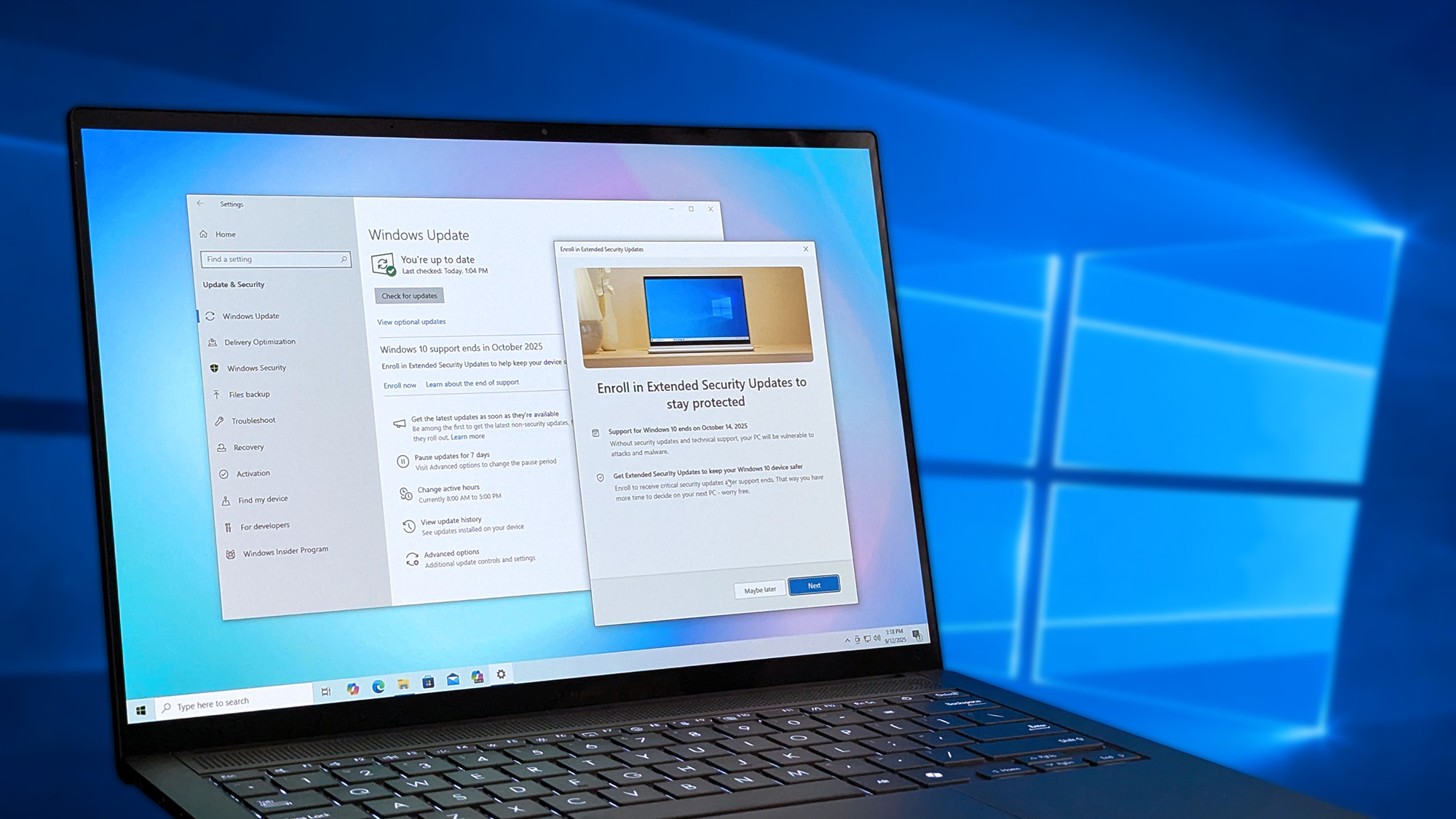
When Microsoft ended support for Windows 10 in October 2024, it offered an option for users to sign up for the Extended Security Update (ESU) program to gain one additional year of support. This is a key point in the Secure Boot certificate situation, as Windows 10 PCs enrolled in ESU should receive updated certificates via Windows Update.
PCs that did not enroll in ESU are unlikely to get the new certificates. However, it is still possible to enroll your Windows 10 PC in the ESU program until the day before the October 14 cutoff date.
I recommend enrolling now to ensure your PC receives the updated Secure Boot certificates.
How to check if your Windows PC is using the updated Secure Boot certificate
There is a straightforward way to check if your PC is currently using the new Secure Boot certificates.
Type "PowerShell" into the Windows search bar, then click "Run as administrator." Copy and paste the following command exactly as shown:
([System.Text.Encoding]::ASCII.GetString((Get-SecureBootUEFI db).bytes) -match ‘Windows UEFI CA 2023’)
Hit Enter to deploy the command. You will see either a "True" or "False" value appear below it. If it reads "True," your PC already has the new Secure Boot certificates. If it reads "False," your PC is still using the old ones set to expire in June.
If your Windows 11 or Windows 10 (ESU) PC does not have the latest certificates, I recommend checking for pending Windows Updates. For older systems, you might want to look for OEM firmware solutions.
Once again, your PC won’t stop working if it doesn’t have the latest certificates, but it will have reduced security and may start behaving unexpectedly.
Forcing the new Secure Boot certificates in Windows 11 without a firmware update
At Microsoft's Learn Center, there is a procedure that allows users to work around firmware issues without manually accessing the BIOS. Even if existing Secure Boot certificates are expired or not yet applied, cumulative updates containing the new 2023 Secure Boot certificates can still be installed. Windows can then write the updated certificates into firmware by following the published deployment guidance.
This applies to devices that can boot Windows and install updates. Microsoft states that this method works as advertised.
To try it, you first need a version of Windows 11 that includes the Secure Boot changes. An example is the July 2025 servicing update. Once confirmed, follow these steps:
- Launch Command Prompt as an Administrator.
- Copy and paste the following code into the Command Prompt and hit Enter:
reg add HKEY_LOCAL_MACHINE\SYSTEM\CurrentControlSet\Control\Secureboot /v AvailableUpdates /t REG_DWORD /d 0x40 /f Start-ScheduledTask -TaskName "\Microsoft\Windows\PI\Secure-Boot-Update" - Restart your PC a couple of times after the task runs.
- Verify whether the new Secure Boot certificates are installed properly using the earlier PowerShell guidance.
Microsoft's previous e-waste fiasco is still unraveling as Windows 10 declines

Many Windows users are still dealing with the fallout from the end-of-life (EOL) process of Windows 10, which began on October 14, 2025. Estimates suggest that this left around 400 million PCs unable to upgrade to Windows 11, with only a temporary ESU update available for some users.
As Secure Boot certificates are set to expire, another challenge looms over older PCs that loyal users have kept running beyond their expected lifespan.
Are you concerned about the Secure Boot certificate expiring on your PC? How old is your system, and have you considered upgrading to something newer? Will you continue using your older PC without the proper Secure Boot certificate? Let me know in the comments section below!

Join us on Reddit at r/ to share your insights and discuss our latest news, reviews, and more.
Like this article? For more stories like this, follow us on MSN by clicking the +Follow button at the top of this page.
