Windows 11 May 2026 Update: Xbox Mode, AI Taskbar, Enhanced Security
Microsoft Announces May 2026 Security Update for Windows 11
Microsoft has announced that the May 2026 Security Update for Windows 11 will begin rolling out on Tuesday, May 12, 2026. This update brings a range of new features, improvements to the user experience, and critical security fixes. The software giant is continuing its tradition of releasing regular updates to ensure the operating system remains secure and efficient.
In this quality update, Microsoft is finally introducing the highly anticipated Xbox mode, which was initially made available on April 30 with this update version. Additionally, File Explorer is receiving several enhancements, including faster launch times. Other notable changes include expanded support for haptic feedback, improvements to Voice Typing, and the transformation of Drag Tray into Drop Tray. The Taskbar is also getting support for AI agents, marking a significant step forward in integrating artificial intelligence into the Windows 11 interface.
Key Features in the May 2026 Security Update
1. Xbox Mode Gaming Feature
Starting with the Patch Tuesday update for May, Microsoft is making the Xbox mode available for regular PCs, although it is currently limited to select markets. This feature transforms your laptop, desktop, or tablet into a console-like experience using the Xbox app in full-screen mode. Once enabled, the device will automatically enter this mode upon restart and sign-in, offering a controller-friendly interface similar to the Xbox dashboard. This mode prioritizes resources to enhance the gaming experience by reducing background activity and distractions. According to Microsoft, Xbox mode can free up as much as 2GB of memory.
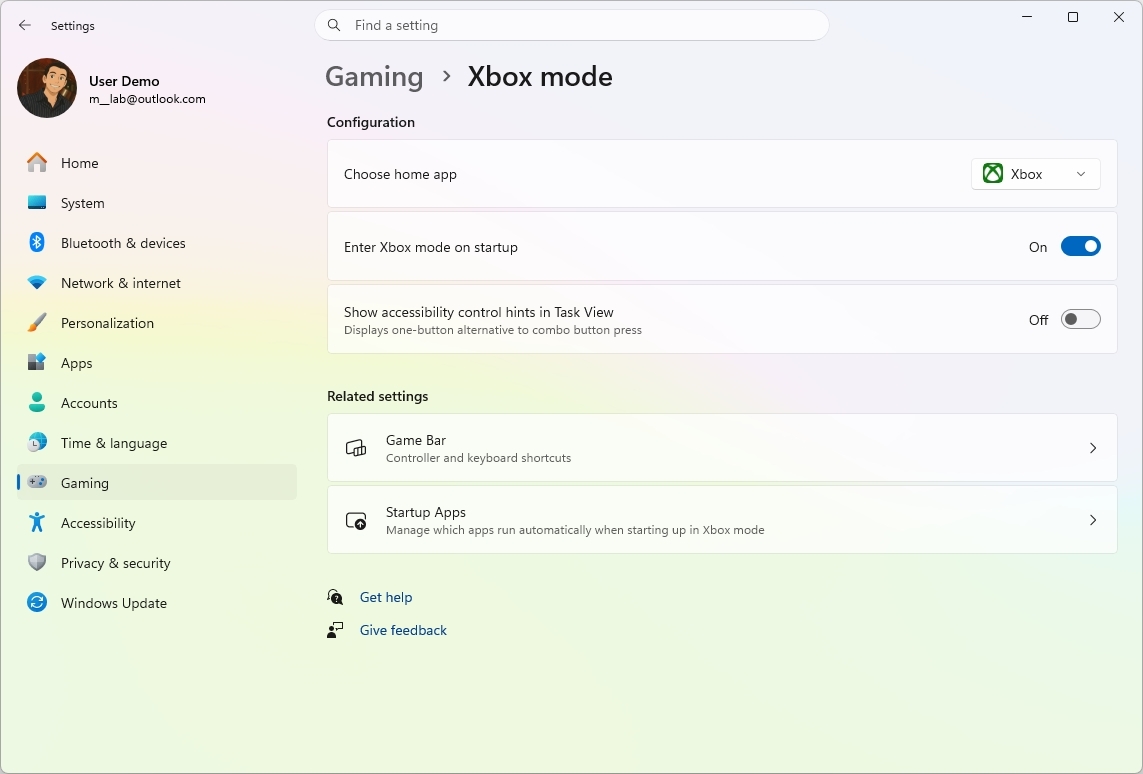
To access Xbox mode, navigate to Settings > Gaming > Xbox mode. On this page, you'll need to turn on the "Enable Xbox mode" toggle switch and select the Xbox app (if applicable).
2. File Explorer Improvements
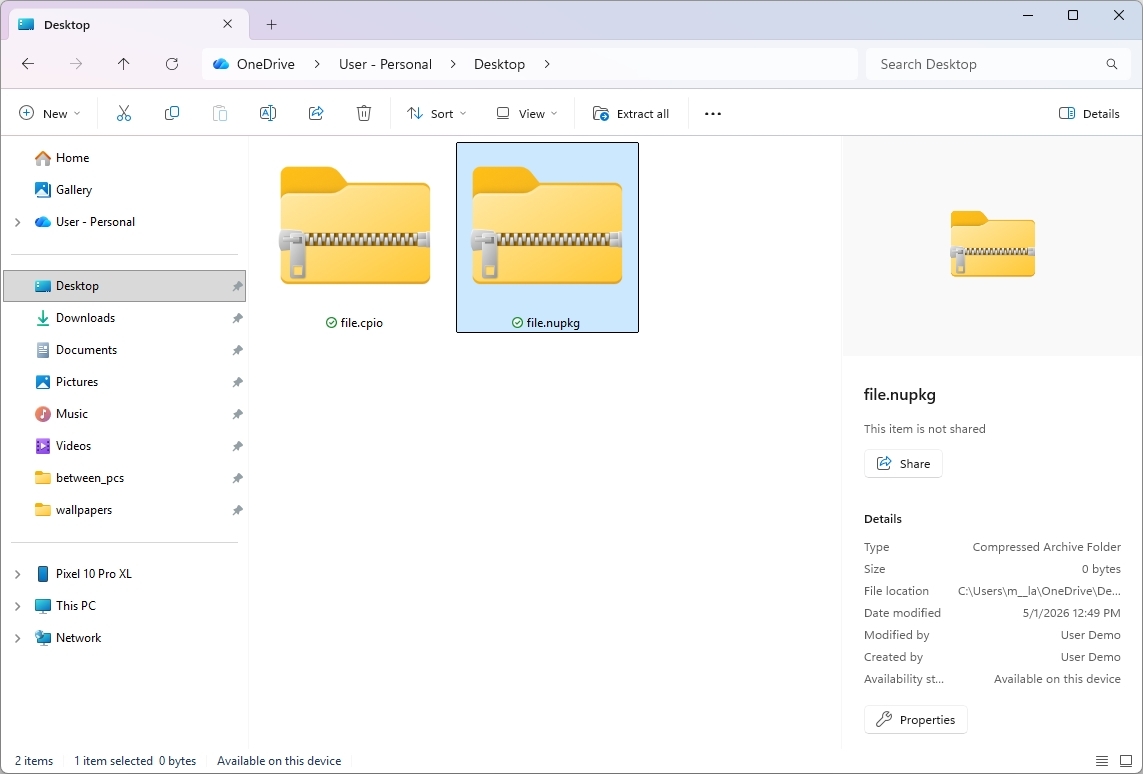
File Explorer is receiving several enhancements as part of this update. Microsoft is expanding support for archive formats, including uu, cpio, xar, and NuGet Packages (nupkg). In folders such as Downloads and Documents, the "View" and "Sort" preferences will be used when apps launch File Explorer directly to those locations. Additionally, the update fixes a white flash when opening the "This PC" page or resizing the "Details" page while in dark mode.
3. Haptic Feedback Effects
From the "Haptic signals" page in the Settings app, users can now control haptic feedback effects on compatible devices for specific actions, such as snapping and resizing windows and aligning objects in PowerPoint. Currently, these effects are supported on Surface Slim Pen 2, ASUS Pen 3.0, and MSI Pen 2 with haptic feedback. Microsoft plans to bring support for Logitech MX Master 4 in the future as Logitech releases updates.
4. Voice Typing Improvements
On the touch keyboard, the Voice Typing elements are being reworked. The new design replaces the full-screen overlay with an animation displayed on the dictation key.
5. New Keyboard Layout
Microsoft is making available a new Arabic 101 Legacy keyboard layout, which can be added from the "Region" page in the Settings app.
6. Drop Tray Changes
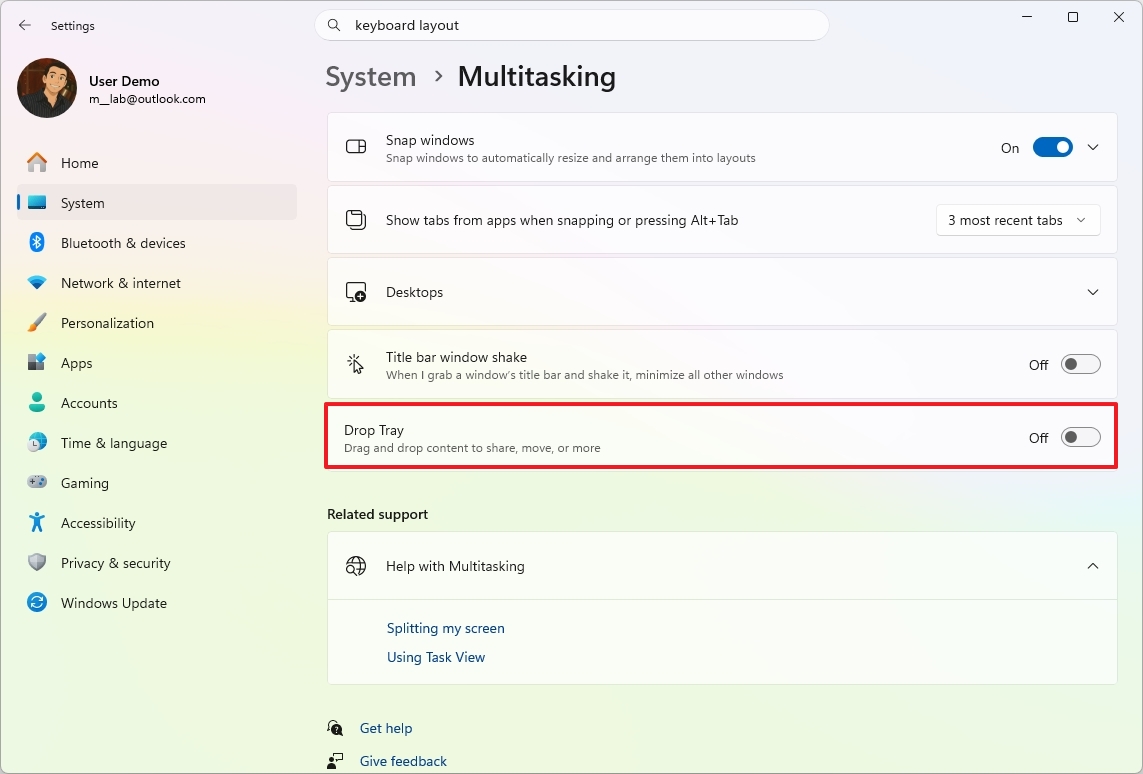
Starting with the May 2026 Security Update, the Drag Tray feature becomes "Drop Tray," and the feature is now located in Settings > System > Multitasking. If you prefer not to use this feature, you can disable it from the "Multitasking" page.
7. Taskbar AI Agents Support
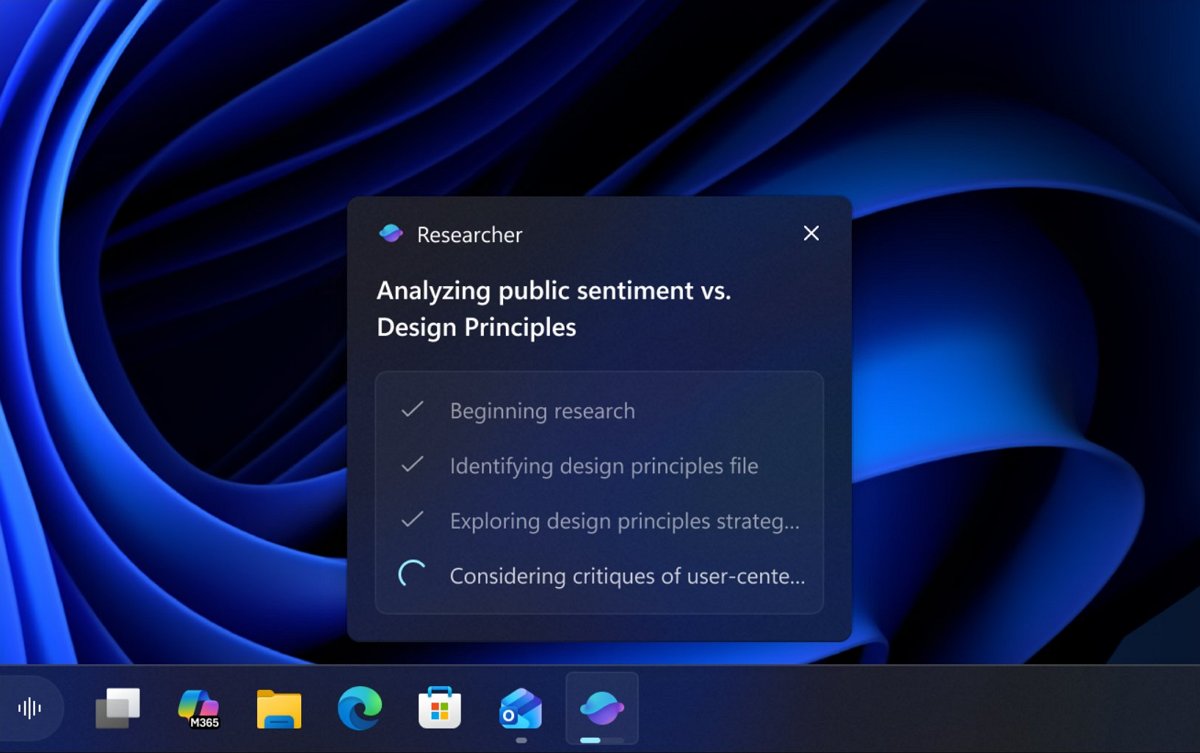
One of the most significant additions in this update is the new support for monitoring AI agents from the Taskbar. If your computer supports working with AI agents, you can now check what the agent is doing from the Taskbar without opening the app. Microsoft notes that this integration is first coming to the Microsoft 365 Copilot app, where the Research agent can now show live progress while generating a report.
8. Debloat Policy with Dynamic List Support
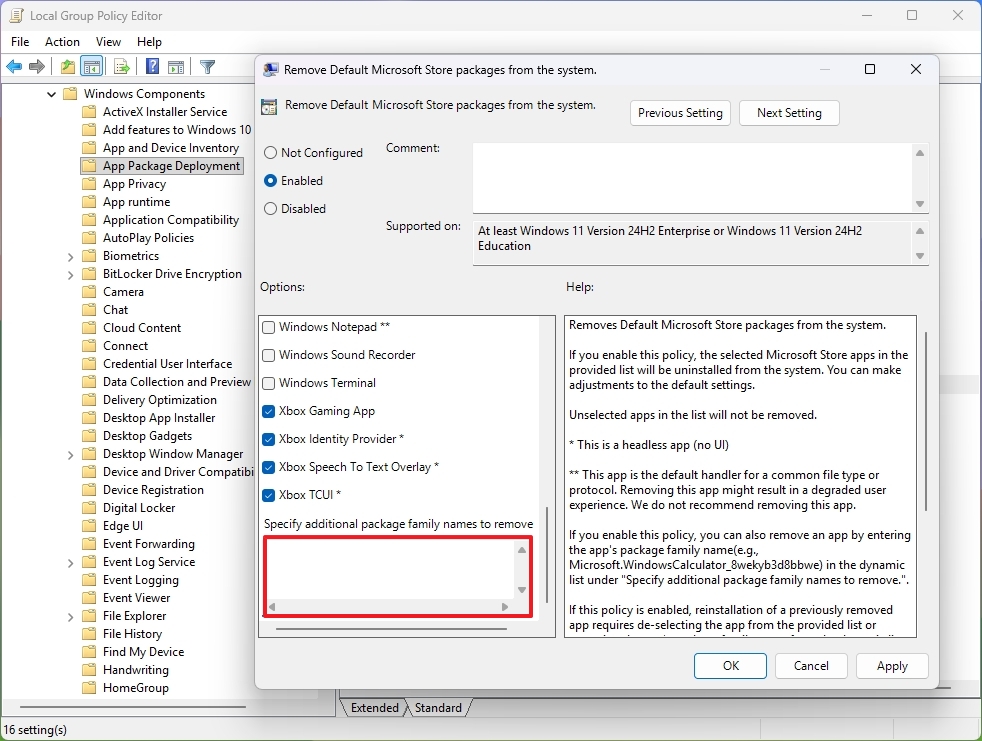
The "Remove Default Microsoft Store packages" policy now includes a dynamic list option that allows administrators to specify additional MSIX and APPX apps to remove from the system. This policy is meant for organizations to give administrators granular control over default apps beyond the standard list.
9. Windows Driver Policy Update
Microsoft is updating how the kernel trusts third-party drivers. For example, the default trust for cross-signed drivers is now gone, while drivers from the Windows Hardware Compatibility Program (WHCP) and a list of trusted legacy drivers will remain allowed. Before enforcing the changes, the operating system will test driver compatibility for at least 100 hours and three reboots.
10. Batch File Security Changes
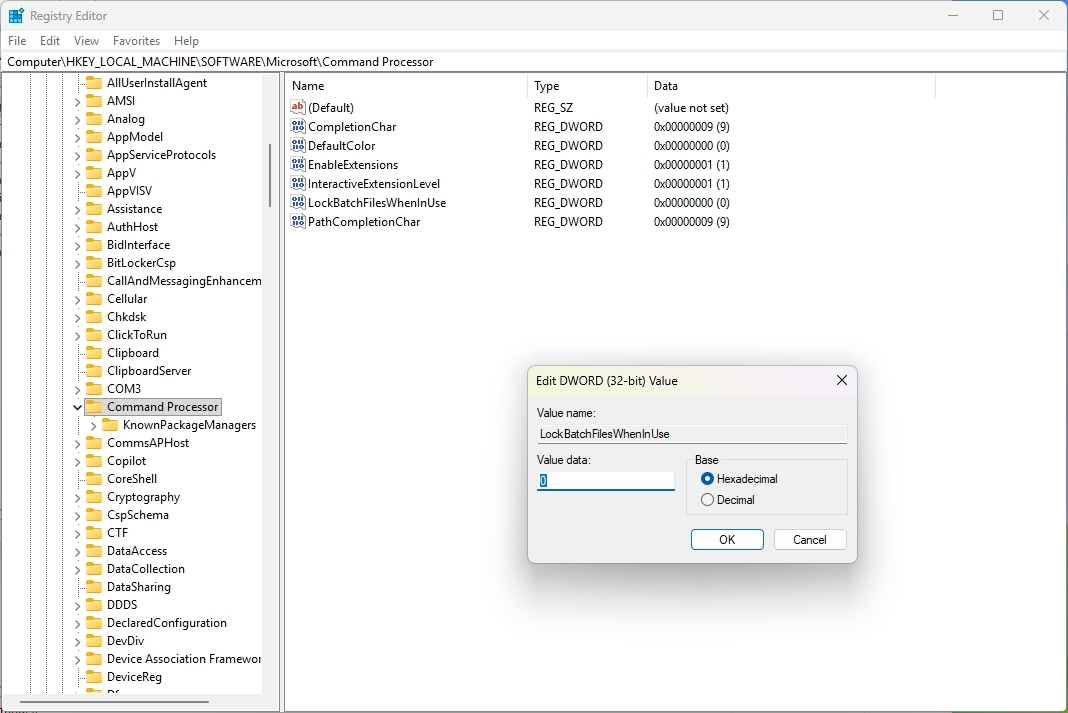
The update includes security improvements to batch files and Command Prompt scripts to minimize runtime manipulation risks. Network administrators and Application Control for Business policy authors can now enable a hardened processing mode for batch files. When enabled, this mode locks batch files during execution, preventing any modifications and reducing the risk of runtime tampering.
11. Format FAT32 Up to 2TB
Finally, the format command-line tool now allows formatting volumes up to 2TB using FAT32. Previously, the maximum was 32GB.
Windows Central's Take
Windows Central's review of the May 2026 Windows 11 update highlights the balance between useful upgrades and everyday polish. Xbox mode is a standout feature that makes the PC feel like a console when needed. File Explorer feels faster, folder views are consistent, and expanded archive support saves time. Even small touches like smarter Taskbar AI and tighter driver rules make the OS feel more intentional.

I am curious how many of you plan to install it right away and how it holds up on your hardware? Let me know in the comments!
More Resources
Explore more in-depth how-to guides, troubleshooting advice, and essential tips to get the most out of Windows 11 and 10. Start browsing here:
- Windows 11 on Windows Central — All you need to know
- Windows 10 on Windows Central — All you need to know
Join us on Reddit at r/ to share your insights and discuss our latest news, reviews, and more.
Like this article? For more stories like this, follow us on MSN by clicking the +Follow button at the top of this page.
