Arzopa Z3FC Review – Ideal Second Screen for Photographers at Great Value
Overview of the Arzopa Z3FC Portable Monitor
For photographers in search of a secondary screen for editing photos on the go, the Arzopa Z3FC is an appealing option. It offers a QHD resolution, good sRGB coverage, and a slim design that makes it easy to carry around. The monitor is designed to be used with laptops, tablets, smartphones, and gaming consoles, making it a versatile choice for various users.
Key Features of the Arzopa Z3FC
- Price: Available at $199.99 / £159.99
- Screen Size: 16.1 inches
- Resolution: 2560 x 1440 QHD
- Color Gamut: 107% sRGB
- Brightness: 400 nits
- Refresh Rate: 180Hz
- Dimensions: 336 x 228 x 9.3mm
- Weight: 780g
The Arzopa Z3FC stands out among other portable monitors due to its decent color gamut, which is described as 107% sRGB. This is a significant advantage over many cheaper screens that may not even specify their color gamut, leading to poor color rendition that isn’t suitable for photography work. Additionally, the QHD resolution allows for more detailed display compared to standard 1920 x 1080 screens.
Design and Portability
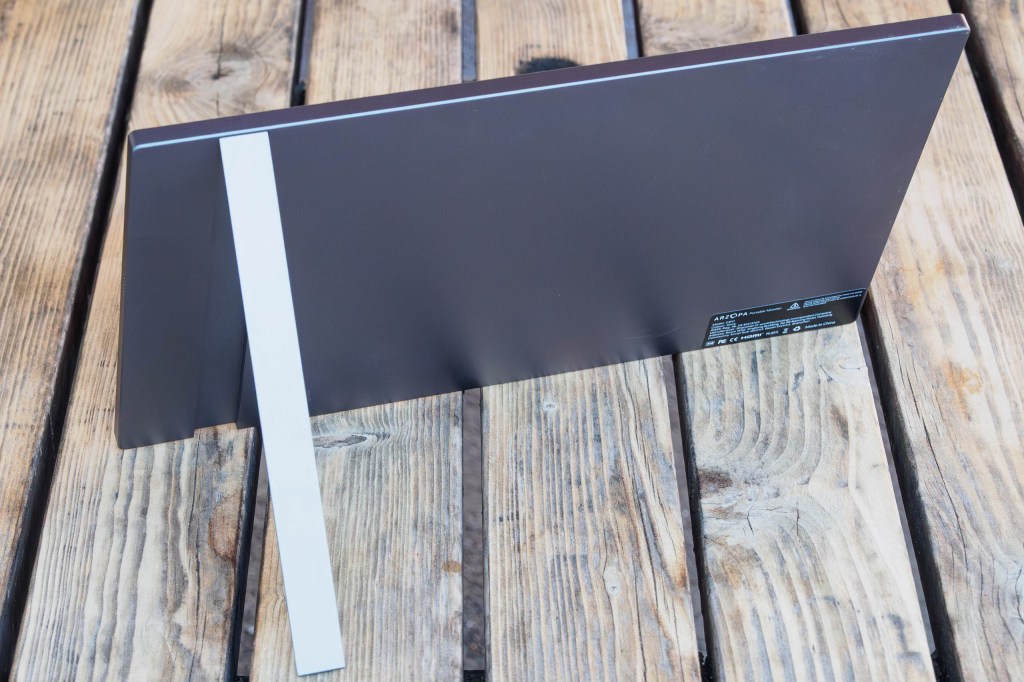
The monitor has a streamlined design, essentially a flat slab measuring 336 x 228 x 9.3mm, with no protrusions thanks to its neat fold-away kickstand. It fits into most bags advertised for holding a 15-inch laptop. A padded protective sleeve is included, though it doesn't have a separate pocket for the cables.
Compatibility and Connectivity
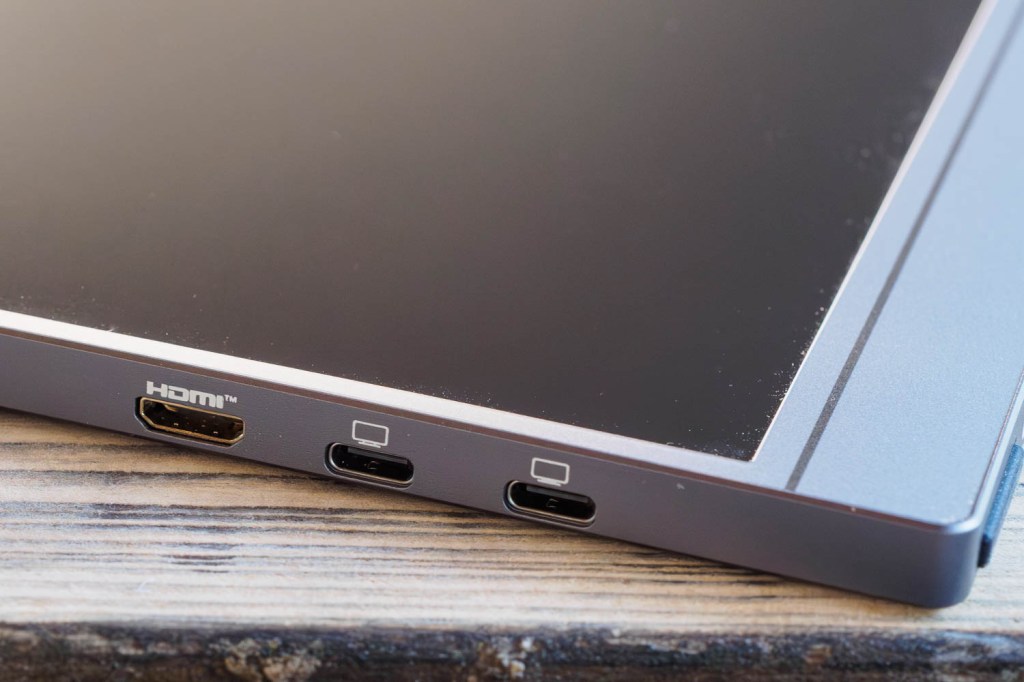
The Arzopa Z3FC is compatible with a wide range of devices, including laptops, tablets, smartphones, and gaming consoles. It comes with one mini-HDMI and two USB-C input ports, both of which can accept video signals. The second USB-C port is used to power the monitor when using an HDMI input or low-power USB-C inputs from devices like smartphones.
Kit Contents
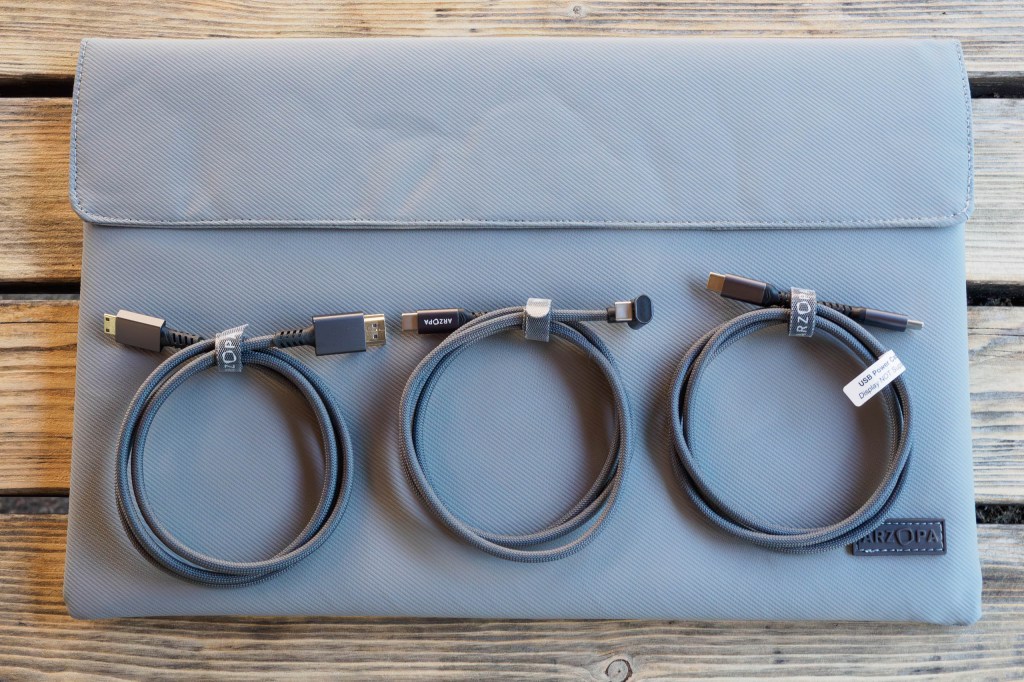
The package includes a soft fabric protective case, an HDMI cable, and two USB-C cables – one for display and the other for power only. The USB-C video cable has a 180° connector, which is convenient if you want to place the screen to the left of your laptop.
In Use
Most laptops will work by simply plugging the monitor into a USB-C port, where it will draw both signal and power. However, other devices may require an additional 5V, 2.4A USB-C input, such as a mains power supply or a power bank.
The screen can be connected to a camera for live view or playback, but this wasn't very useful when tested with a Sony A7R V, as the camera's 3:2 output was cropped on the 16:9 screen. There's no obvious way to fix this from either the camera or monitor menus.
Using the DataColor Spyder X colorimeter, the screen achieved its advertised color gamut and calibrated to a good match for the laptop screen. It's particularly useful for running Adobe Bridge while editing photos in Camera Raw on the main screen.
Controls and Audio
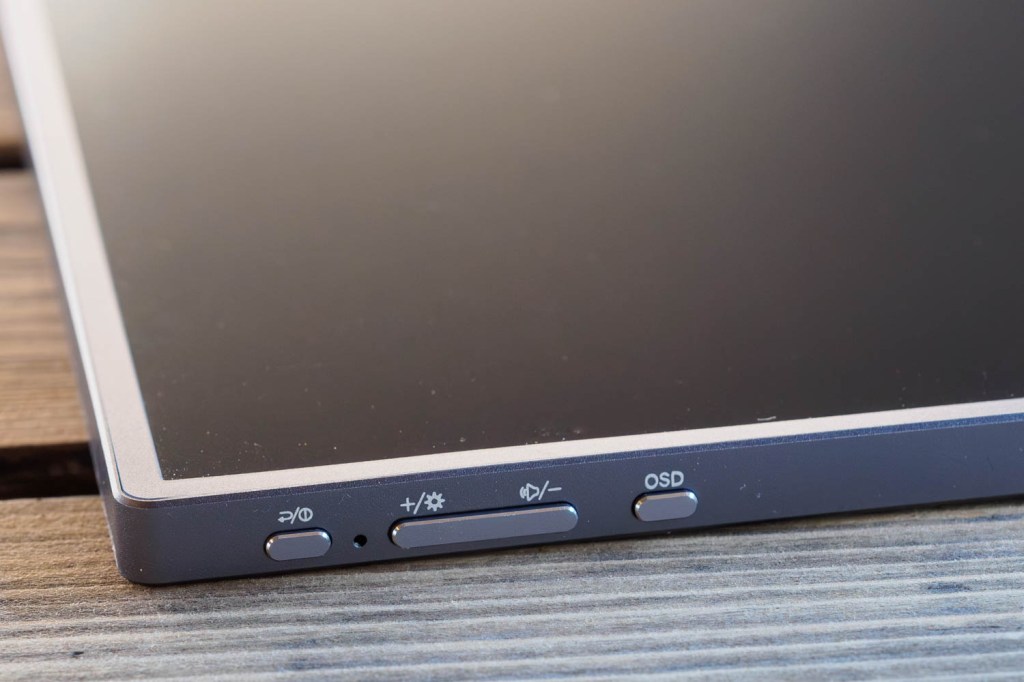
A set of buttons on the side control the onscreen display (OSD), allowing users to fine-tune color, contrast, and other settings. While the interface is a bit clunky, it's common with most monitors. Adjusting brightness is straightforward with the + and – keys.
The screen has small built-in speakers at each edge, which can hijack the computer’s audio output. They are not particularly good, providing low-volume, tinny sound. Users may prefer to switch back to computer audio, especially if planning to use the screen for video editing or watching movies.
Alternative Models
Arzopa offers a range of other portable monitors, including models from 14in to 17.3in, with different specifications. For example, the 16.1in Z1C provides 1920 x 1080 resolution with 100% sRGB coverage for around $100 / £100. Alternatively, the A1M is 17.3in, 1920 x 1080, and 103% sRGB for $160 / £150.


Final Verdict
If you're looking for a portable monitor for photo editing with your laptop, the Arzopa Z3FC is a great choice. It's easy to carry, easy to use, and displays images nicely. Most importantly, it's affordable and regularly available on Amazon with significant discounts.
